
Last updated on January 27, 2026
How Can Users Request a Past Leave?
Sick days don't always get logged in advance. Neither do last-minute family emergencies. The Edit & Request Leaves In The Past setting lets regular Users submit leave requests for dates that have already passed — no cap on how far back they can go.
How to Turn On Past-Date Requests
The setting sits on each leave policy, which means you configure it per Location, per Leave Type. You can allow past-dated Sick Day but not past-dated Vacation, for example — the toggles are independent.
- Sign in at app.vacationtracker.io.
- In the left-hand menu, expand Leave Setup and click Locations.
- On the Location you want to configure, click Edit Leave Policies.
- Find the leave policy you want to update and click the edit (pencil) icon on its row.
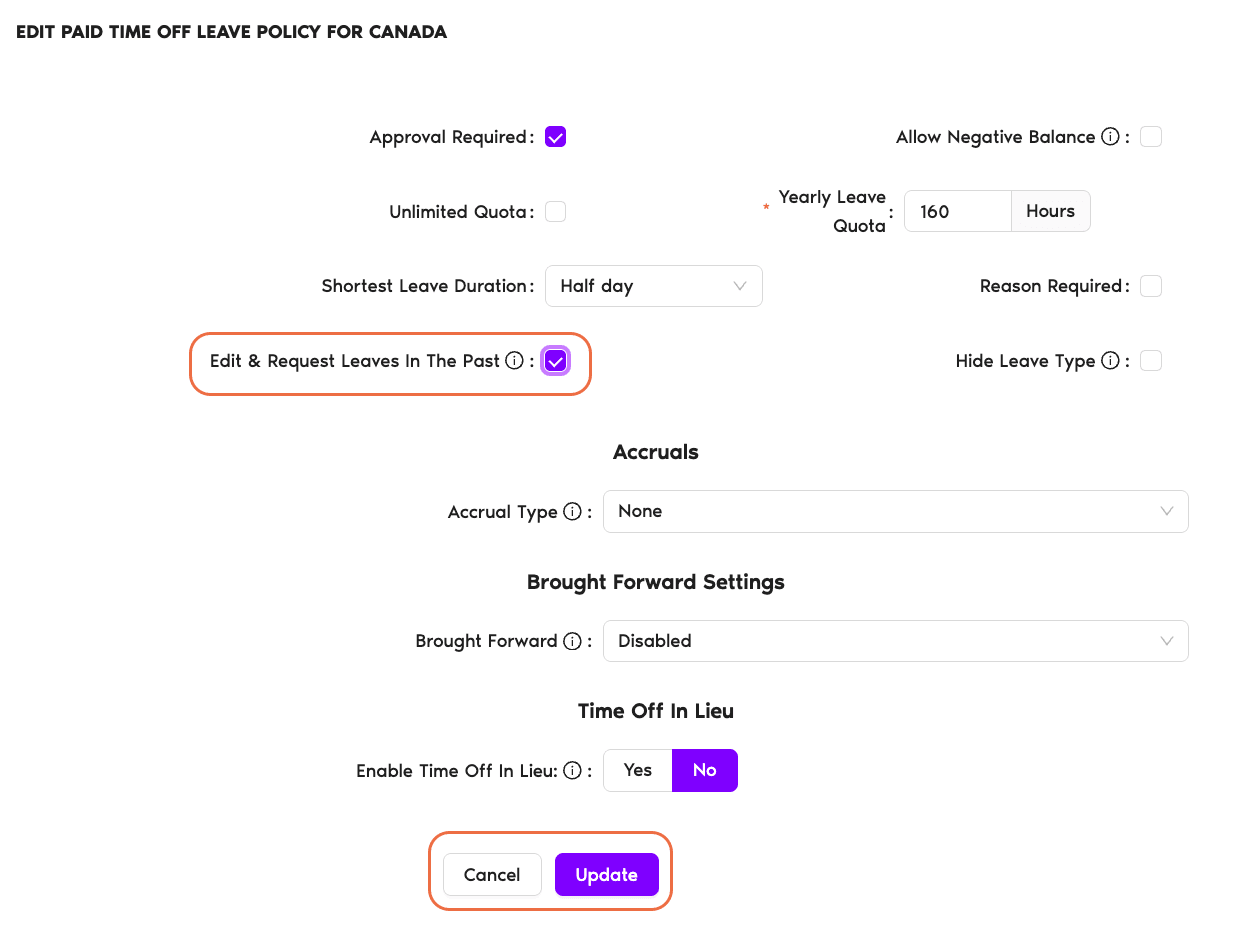
- In the policy editor, tick the Edit & Request Leaves In The Past checkbox.
- Click Update at the bottom of the page to save your changes.
What Users Will See
Once the setting is on for a given leave policy, Users in that Location can submit past-dated requests from any of three places:
The Dashboard
On the Request Leave form, past dates in the date picker become selectable. Users pick a past start and end date, add a reason if required, and submit — exactly the same flow as a future request.
Slack
The Vacation Tracker Slack bot accepts past dates when the setting is on. Users run the leave-request command and pick a past date the same way they'd pick an upcoming one.
Microsoft Teams
The same applies inside Teams — the bot's leave-request flow exposes past dates once the policy allows them.
Common Questions
No. Once the setting is on, the date picker accepts any past date — last week, last month, last year, or further. There's no hard cap in the system. The only practical limit is your own leave balance on the date range you're requesting.
No — the setting is per leave policy. You can enable it on Sick Day (where backdating is common) and leave it off on Vacation (where it usually shouldn't be needed). Each leave policy's setting is independent of the others.
Yes — past-dated requests always go through approval, regardless of the leave policy's Approval Required setting. Even on a leave type where future requests would be auto-approved, a past-dated request is still routed to the configured Approver(s) and only counts against the balance once approved. This way the Approver can still review and confirm whether the past leave should be added to the user's record.
 Book a Call